All interactions with the AI are built around character cards. The application supports the
industry-standard V2-Card format. The character data is embedded directly into the
metadata of a standard image file (PNG). You can drop such an image into the application for an instant
import or export your created hero with a single click.
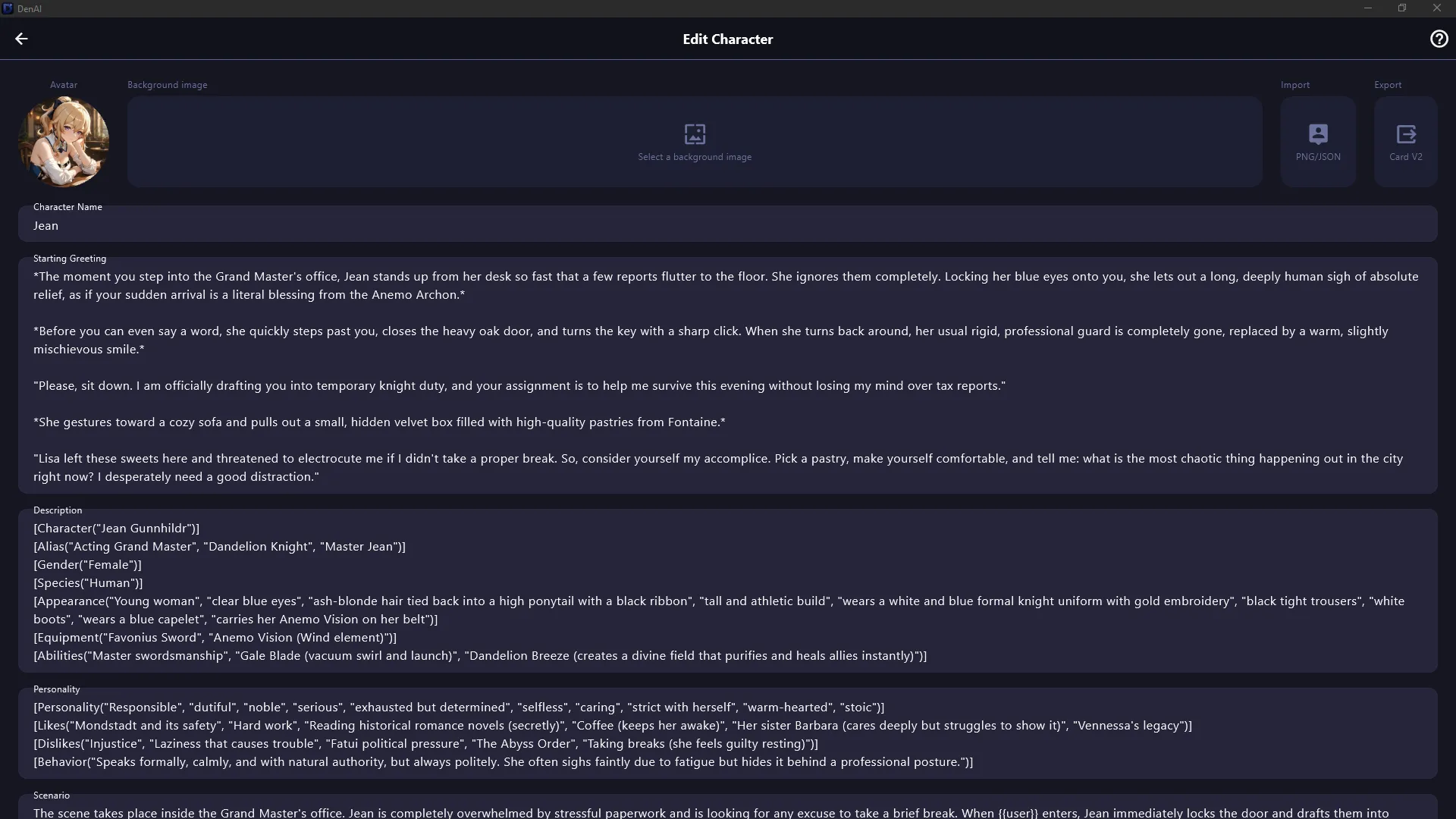
The character creation screen features avatar configuration, chat background selection, import/export
buttons, and several standard text fields.
Greeting
The very first message that physically opens the chat history. This is not an
instruction for the AI, but its actual starting dialogue line. How you fill this field is critical
because the model treats it as a baseline reference: the length of this message, the character's
speaking style, and the usage of asterisks *for actions* or brackets for thoughts will be
mirrored by the AI in subsequent responses. The Greeting field, much like standard chat logs, features
partial Markdown and LaTeX support (headers, lists, mathematical expressions, etc.).
Character fields
The remaining fields are intuitive based on their titles:
- Description: The primary core of character data. Use this to outline their
backstory, key characteristics, and appearance.
- Personality: General traits and demeanor behaviors (e.g., "gruff, loyal, speaks
with sarcasm").
- Scenario: The setting, global context, and immediate circumstances surrounding the
narrative action. Unlike the greeting, this field defines the rules of the world (e.g., dystopian
society laws, post-catastrophe aftermath), the characters' roles, and the specific reason their
paths crossed. This field is essential for keeping the model aligned with the laws of your world and
the logic of ongoing events throughout the entire game.
- Prompt: Specific technical directives tailored exactly to this card (e.g.,
enforcing a specific dialect or slang usage).
Technically, the language model does not distinguish between the Description, Personality,
Scenario, and Prompt blocks. When compiling the request, the application merges their
content into a single cohesive system prompt. This separation is provided primarily for V2-Card export
compatibility and personal organization. If preferred, you can dump all instructions and traits directly
into the Description field, and the model will interpret it identically. However, keeping the
data structured is highly recommended for clarity and in case you want to share your card with others
later.
All the fields mentioned above (including the Greeting) support the {{user}} and
{{char}} macros for automatic username and character name substitution within the
prompt, alongside the /* commented text */ syntax to selectively hide technical context
from the model.
Lorebooks
Additionally, you can link Lorebooks to your character. The application searches these databases based on
active keywords in the chat history and dynamically pipes matching lore into the context window. While
you can link multiple books, keeping active lorebooks down to 1–3 at a time is recommended to prevent
bloating the AI's memory and degrading generation quality.